ScoreStudio ProLive Stream Scoreboard
Table tennis · YouTube · Twitch
Table Tennis Scoreboard for Live Streaming
Whether you broadcast a league match on YouTube or a tournament on Twitch, ScoreStudio Pro gives your stream a live scoreboard that updates in real time. You keep score from one app, and the score shows on your stream and on the venue screen at the same time.

Look like television
Create Professional Table Tennis Live Streams
A stream feels professional when the viewer always knows the score, who is serving and what is happening between points. ScoreStudio Pro takes care of that part, so you can concentrate on the camera and the commentary.
The score is always on screen
Players, points, games, serve, cards and timeouts, in a clean overlay that sits over your video.
Moments of the match get their own screen
Line-up, warm-up, end of game, timeout and end of match each have their own screen, ready to appear when you need them.
Sponsors get their space
Show your sponsors' ads inside the broadcast without hiding the scoreboard or stopping the match.
The overlay
Live Stream Scoreboard Overlay
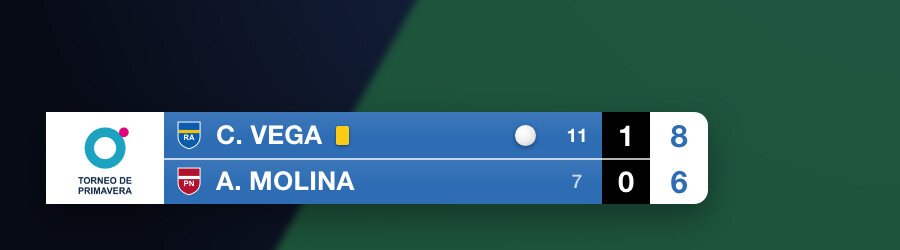
Pick one of five overlay designs, from a glass look to a championship-style Tournament design with the event logo. They are transparent, so your picture stays visible behind the scoreboard.
- Crest, country flag or shirt color next to each player's name.
- Colors designed to read well over compressed video.
- Team match score above the overlay in league matches.
Real time
Real-Time Score Updates
Every point you add shows up on the stream almost instantly. There is no manual refresh, no typing the score into a text box and no second person updating a graphic.
One app, one source of truth
The Mac, the phone remote, the stream and the venue screen all read the same score, so they can never disagree.
Corrections stay off the air
In team matches, the end-of-game and end-of-match screens appear when you confirm, not on the last point. If the last point was wrong, you cancel it before viewers see a result.
Saved as you play
If the app closes in the middle of a match, you pick up exactly where you left off.
OBS Studio
Broadcast Your Scoreboard with OBS
ScoreStudio Pro works with OBS Studio, the free streaming software. You add it once as a Browser source and it keeps working for the whole season.
-
1
Add a Browser source
In your match scene in OBS, add a Browser source with the address shown in the app and a size of 1920 × 1080.
-
2
Turn on the OBS output
One click in the match panel and the scoreboard appears over your camera feed.
-
3
Stream wherever you like
OBS sends the picture to YouTube, Twitch or any platform it can stream to. The scoreboard goes with it.
Remote control
Remote Scoreboard Control
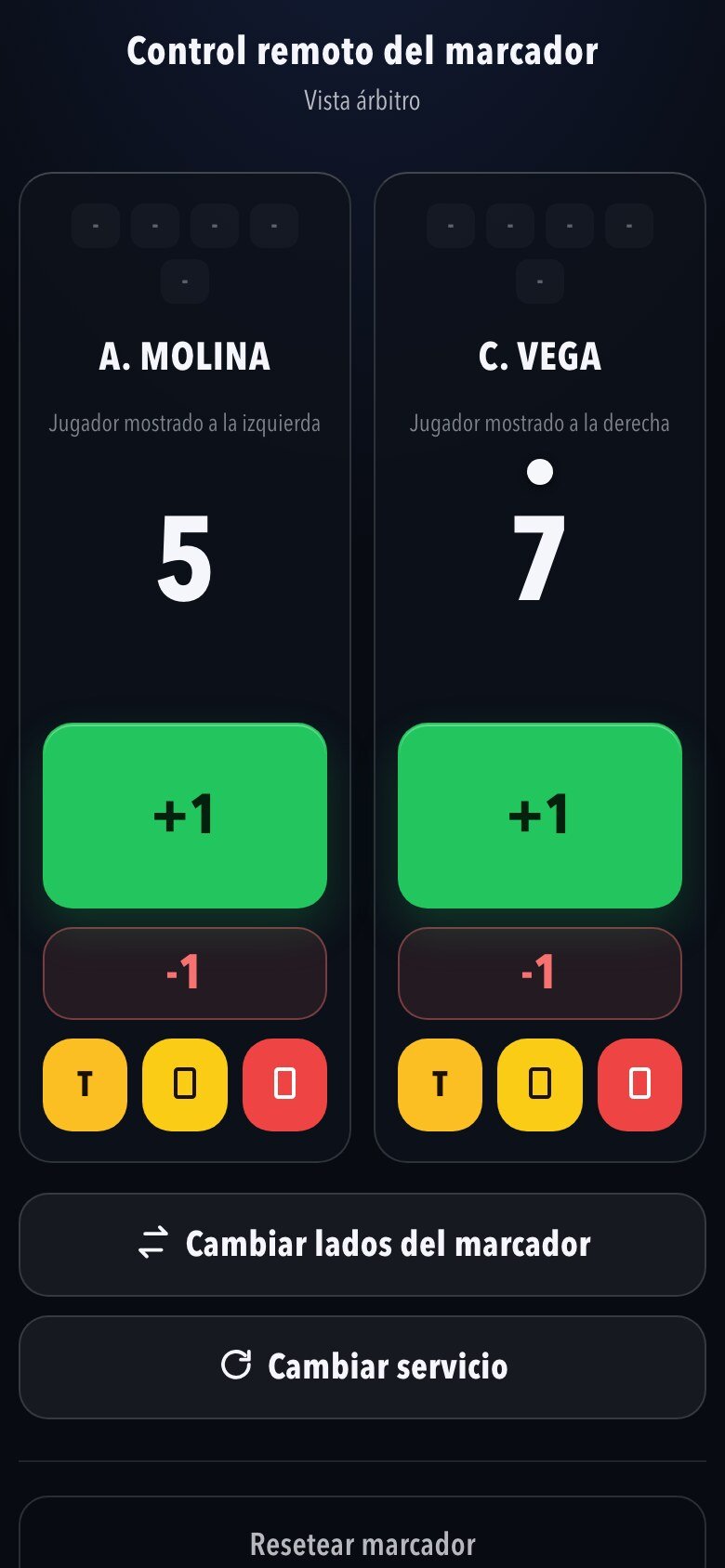
Streaming alone is easier when you don't have to keep one hand on the mouse. Hand the score to someone at the table, or use buttons you can press without looking.
- Phone or tablet: scan a QR code and keep score from the table, with nothing to install.
- Keyboard: one key per action, even with OBS in front.
- Stream Deck: a physical key for each action.
Who it's for
Scoreboard for Clubs and Tournaments
ScoreStudio Pro fits the way table tennis is actually played, from a single friendly to a full league match day.
League clubs
Team matches follow the official order of the six singles, suggest the deciding doubles at 3–3 and fill in the match sheet for you.
Tournaments
Quick matches in singles or doubles, with games to 7, 11, 15 or 21 points and best of 1, 3, 5 or 7. The Tournament overlay carries the event logo.
Streamers and broadcasters
A scoreboard that needs no graphics skills and no second operator: it runs itself while you run the show.
Stream and venue
Display the Score on Stream and Venue Screens
If you have a TV or projector in the hall, the same app runs the big scoreboard for the people in the stands. It is the same score, shown in two places.
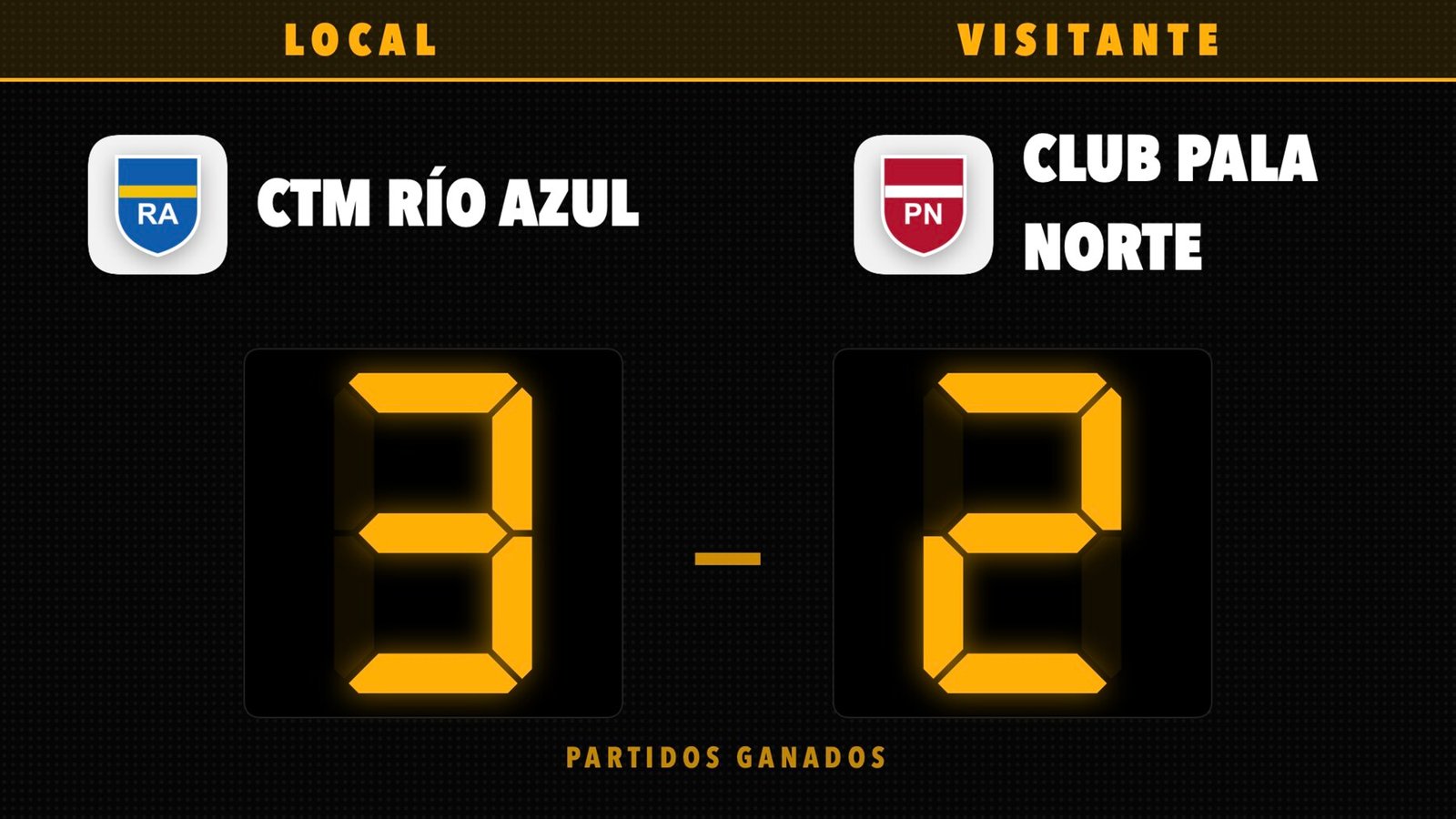
- Nine venue scoreboard designs: four for the match in play and five for the team match.
- Your colors, your backgrounds and your club crests.
- Sponsor images, a slideshow or a looping video on the venue screen, and the same images inside the stream.
- No internet needed in the hall: everything runs on the venue Wi-Fi.
Workflow
A Complete Table Tennis Broadcasting Workflow
From the first announcement to the final result, this is what the stream shows and what you do.
| Moment | What viewers see | What you do |
|---|---|---|
| Before the match | Line-up screen with event, round, venue, date and time | Fill in the details once and switch it on |
| Warm-up | The two players with their letter, club and crest | Press Warm-up |
| During play | The scoreboard overlay, with the team match score above in team matches | Add points from the Mac, a phone or a Stream Deck |
| Timeout | Who called it and a countdown | Press Timeout |
| End of a game | The games, the winner flashing and a one-minute break countdown | Confirm the game, then Start game when the players return |
| End of the match | The winner and every game, until the next match | Confirm the match |
The warm-up screen and the one-minute break between games are part of team matches. A quick match uses the overlay, the timeouts and the end-of-match screen.
Getting started
How to Set Up a Table Tennis Live Stream
The scoreboard is one part of a stream. Here is the whole path, in order.
- Place the cameraPut it high and at one end or the side of the table, so both players and the full table are in the picture.
- Set up OBSCreate a scene at 1920 × 1080 and add your camera as a video source.
- Add the scoreboardAdd the ScoreStudio Pro Browser source above the camera and turn on the OBS output.
- Check the soundTest the audio levels before the first serve. Poor sound loses viewers faster than poor video.
- Go liveEnter your YouTube or Twitch stream key in OBS, press Start Streaming and keep score.
The complete live streaming setup guide → How to live stream a table tennis match with OBS →
Frequently asked questions
Frequently Asked Questions
What do I need to live stream a table tennis match?
A camera, a Mac with macOS 15 or later running ScoreStudio Pro and OBS Studio, and an internet connection to send the stream. The scoreboard itself works without internet.
Does the scoreboard work for YouTube, Twitch and other platforms?
Yes. ScoreStudio Pro adds the scoreboard in OBS, and OBS streams to any platform it supports, so it is not tied to one service.
Can I show the score on the stream and on a venue screen at once?
Yes. The same app runs the stream overlay and the big scoreboard on a TV or projector, and both show the same score.
Can someone else keep score while I run the stream?
Yes. The umpire or a volunteer scans a QR code and keeps score from their phone, next to the table. It works in any phone browser, with nothing to install.
Can I show my sponsors during the stream?
Yes. Your sponsors' images appear inside the broadcast, in a small box during play and larger between games, without covering the score. You show them with one button or let them appear automatically.
Is it also a ping pong live scoreboard?
Yes. Ping pong and table tennis are the same sport, so ScoreStudio Pro works as a ping pong scoreboard for live streams too.
Download ScoreStudio Pro
Try the full app free for 3 days, no card needed. For Macs with macOS 15 or later.