ScoreStudio ProDocumentationRemote Control
Documentation
Remote Control
The umpire or a club delegate can keep score from the table with their own phone or tablet. There is nothing to install: the remote opens in the browser.
Connect a phone or tablet
- Connect the phone to the same Wi-Fi as the Mac (not mobile data).
- In the app, click the QR code button at the top right, Connect phone.
- Open the phone's camera, point it at the code and tap the link. The remote opens already connected.
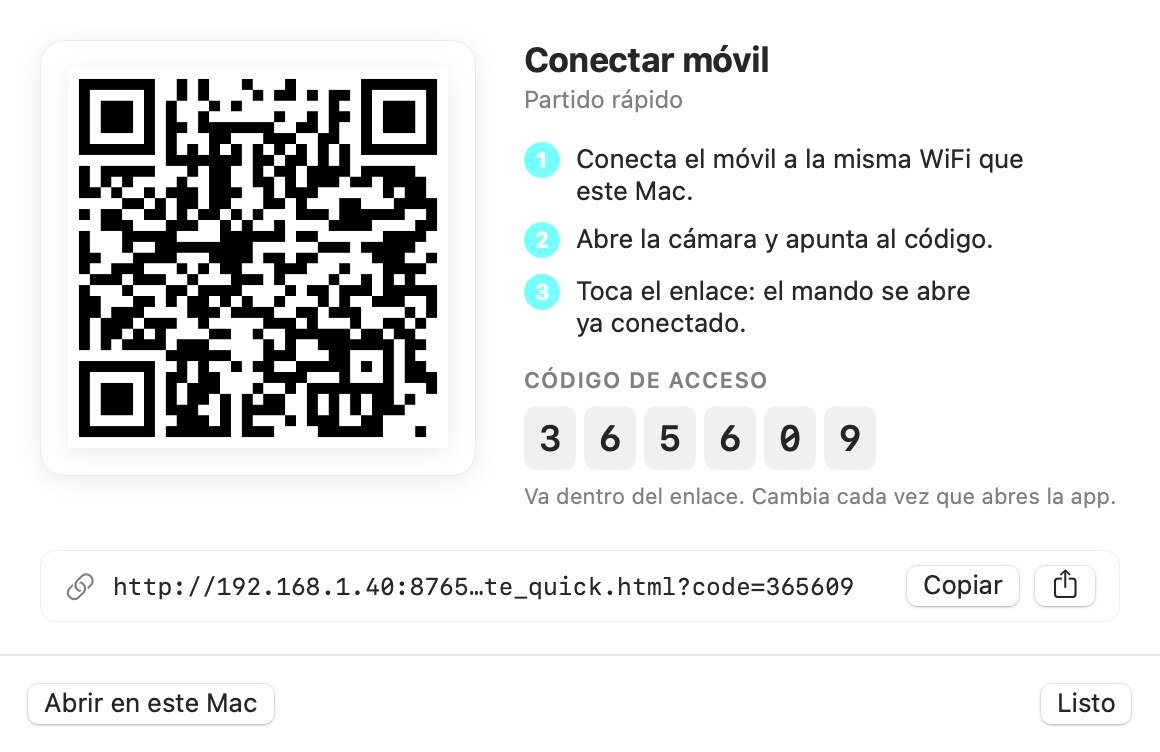
In Connections and OBS → Phone and tablet you have one QR code for the quick match remote and another for the team match remote. To use the remote in your Mac's own browser instead, use the remote button in the match panel.
What you can do from the remote
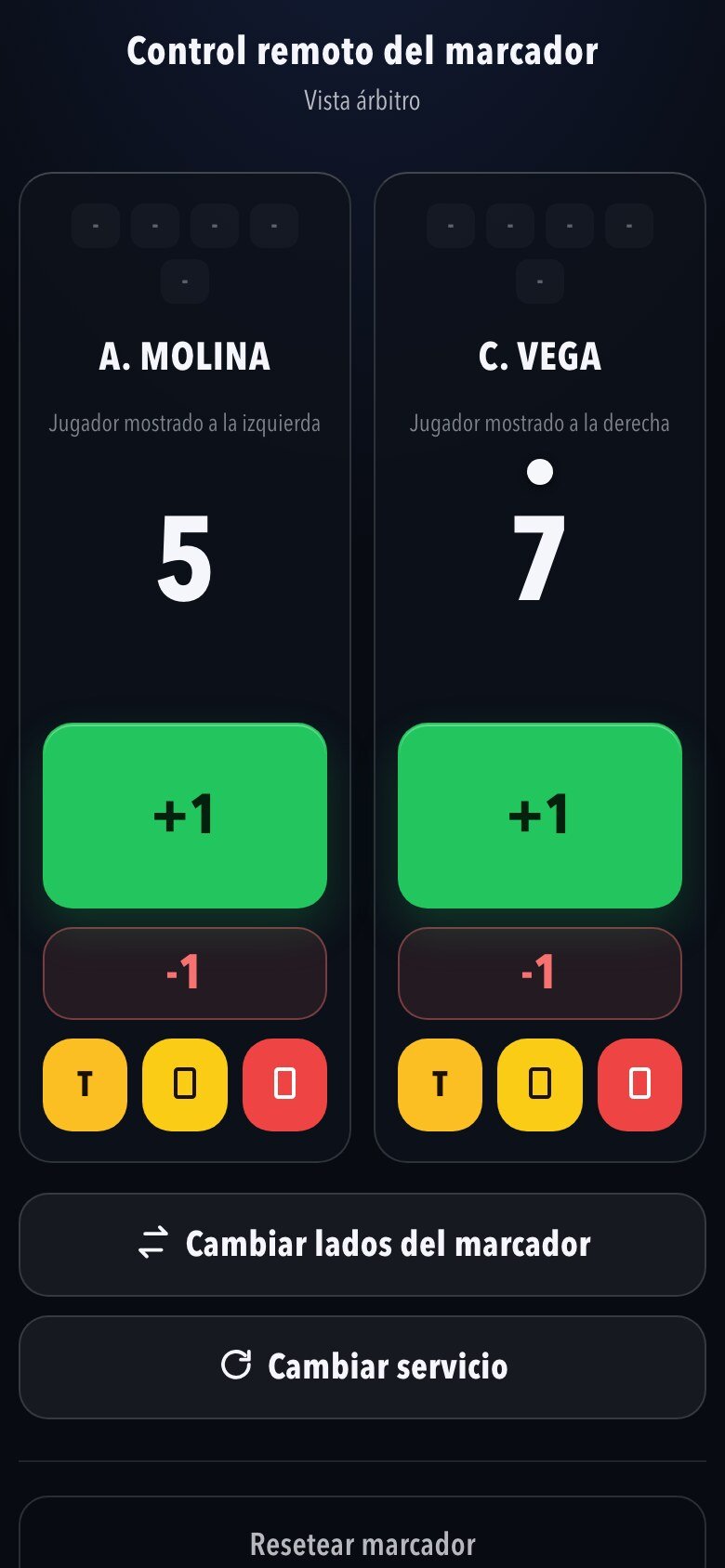
Add and remove points, call timeouts, give cards, change the serve and swap sides. What you press shows instantly on the Mac, on the venue screen and in OBS. Several remotes can be open at the same time.
The security code
The access code changes every time you open the app, so nobody else on the Wi-Fi can touch your scoreboard. If you restart the app, scan the QR code again.
Keyboard shortcuts
These keys work even with another app in front, for example OBS:
| Key | What it does | Key | What it does |
|---|---|---|---|
| Q | Point to the left | W | Remove a point from the left |
| A | Point to the right | S | Remove a point from the right |
| E | Match won, left | R | Remove a match, left |
| D | Match won, right | F | Remove a match, right |
| Z | Change serve | X | Swap sides |
| T | Timeout, left | G | Timeout, right |
Give the Accessibility permission. For the keys to work with the app in the background, your Mac has to allow it. In Connections and OBS → Keyboard click Grant permission…, turn on ScoreStudio Pro in System Settings → Privacy & Security → Accessibility, and open the app again.
If the phone won't connect
- The phone and the Mac must be on the same Wi-Fi.
- If you reopened the app, the code has changed: scan the QR code again.
- Some venue or school Wi-Fi networks don't let devices see each other. Try with your phone's hotspot.
More in the troubleshooting guide.
Still stuck? Write to us
ScoreStudio Pro is made by one person, so the person who programmed the app answers. Tell us which Mac and which version of macOS you have, and what you were doing.