
ScoreStudio ProDownload
Free trial · macOS
Download ScoreStudio Pro for macOS
ScoreStudio Pro is table tennis scoreboard software for Macs with macOS 15 or later. Download the full app and try it free for 3 days, with no card and no details to give.
Free for 3 days
Download the Latest Version
One download, with every feature switched on for the trial. The app is signed and verified by Apple, and it opens with a double click.
- PlatformmacOS 15 or later
- Version4.3
- Trial3 days, every feature
- Card neededNo
- App languagesEnglish, French, German, Spanish
Looking for Windows? A Windows version is coming soon. For now ScoreStudio Pro runs on Mac, and the phone remote works in the browser of any phone, iPhone or Android.
Before you install
macOS System Requirements
Essential
- A Mac with macOS 15 or later.
Optional
- A projector or TV, connected by HDMI or AirPlay, for the venue scoreboard.
- OBS Studio (free), on the same Mac, to stream on YouTube or Twitch.
- A phone or tablet on the same Wi-Fi as the Mac, for the remote.
- A Stream Deck, with a button for each action.
Internet is only needed to buy the license and to send a live stream. The scoreboard itself runs on your local network.
Five minutes
How to Install ScoreStudio Pro
-
1
Open the download
Open the file you downloaded and drag ScoreStudio Pro to your Applications folder.
-
2
Open the app
Open it from Applications or Launchpad. The first time, your Mac may ask if you want to open it: click Open.
-
3
Allow connections
If your Mac asks whether the app can receive network connections, click Allow. That is what lets OBS, the venue screen and your phone see the scoreboard.
When you buy a license, you'll receive a key starting with SSP-. In the app, click License, paste it and click Activate license.
Your first match
Start Your First Match
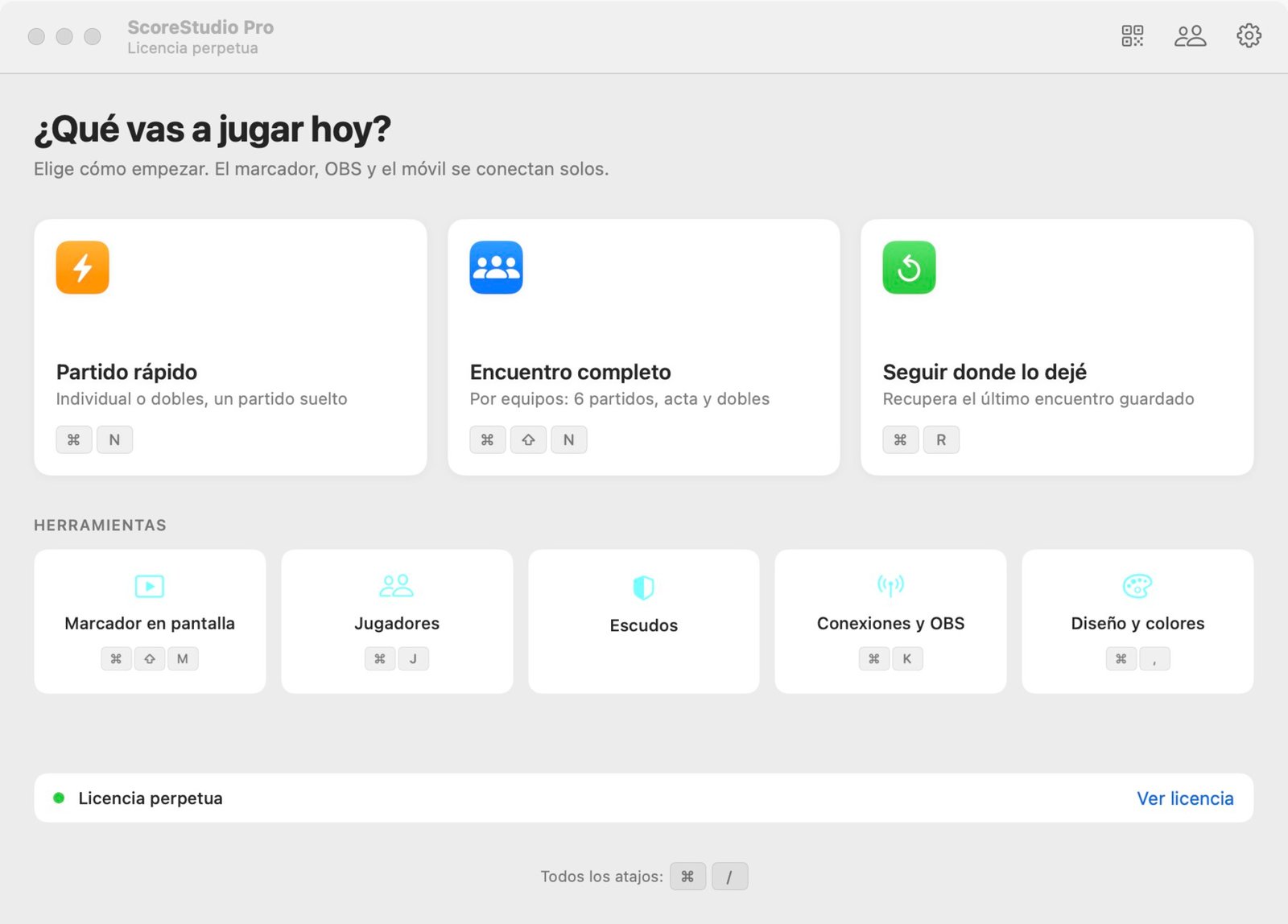
Every time you open the app, it asks what you are playing today.
- Choose Quick matchA single match, singles or doubles. Use Full team match for a league match with six singles.
- Pick the formatPoints per game (7, 11, 15 or 21) and best of 1, 3, 5 or 7 games. Then click Start.
- Type the player namesThey appear on every scoreboard.
- Add pointsClick +1 each time a player wins a point. The app tracks the serve for you.
Live streaming
Connect ScoreStudio Pro to OBS
If you stream your matches, add the scoreboard to OBS Studio once and it is ready for every match.
-
1
Add a Browser source
In OBS, in your match scene, click + under Sources and choose Browser.
-
2
Paste the address
Use
http://127.0.0.1:8765/obswith width 1920 and height 1080. -
3
Turn on the output
In the match panel, click Turn on OBS output.
Support
Need Help?
ScoreStudio Pro is made by one person, and the person who programmed the app answers your questions.