Monthly
19 €
Renews each month · VAT included
- All features
- Cancel anytime
- Each month the new license arrives by email
- You can move it to another Mac
 ScoreStudio Pro
Try it free
Table tennis · macOS · OBS
ScoreStudio Pro is professional table tennis scoreboard software for macOS, designed for clubs, tournaments and live broadcasts. Control your matches, display the scoreboard on venue screens and integrate your live scoreboard directly with OBS Studio.
One app to run your venue scoreboard and your live stream.


See it in action
The Mac panel, the phone remote, the projector, the OBS overlays, sponsor ads and the match sheet, in a single match.
This is ScoreStudio Pro, the table tennis scoreboard for Mac. Turn your venue into a professional broadcast.
You run the match from your Mac. The app counts the points and handles serve, games and change of ends on its own.
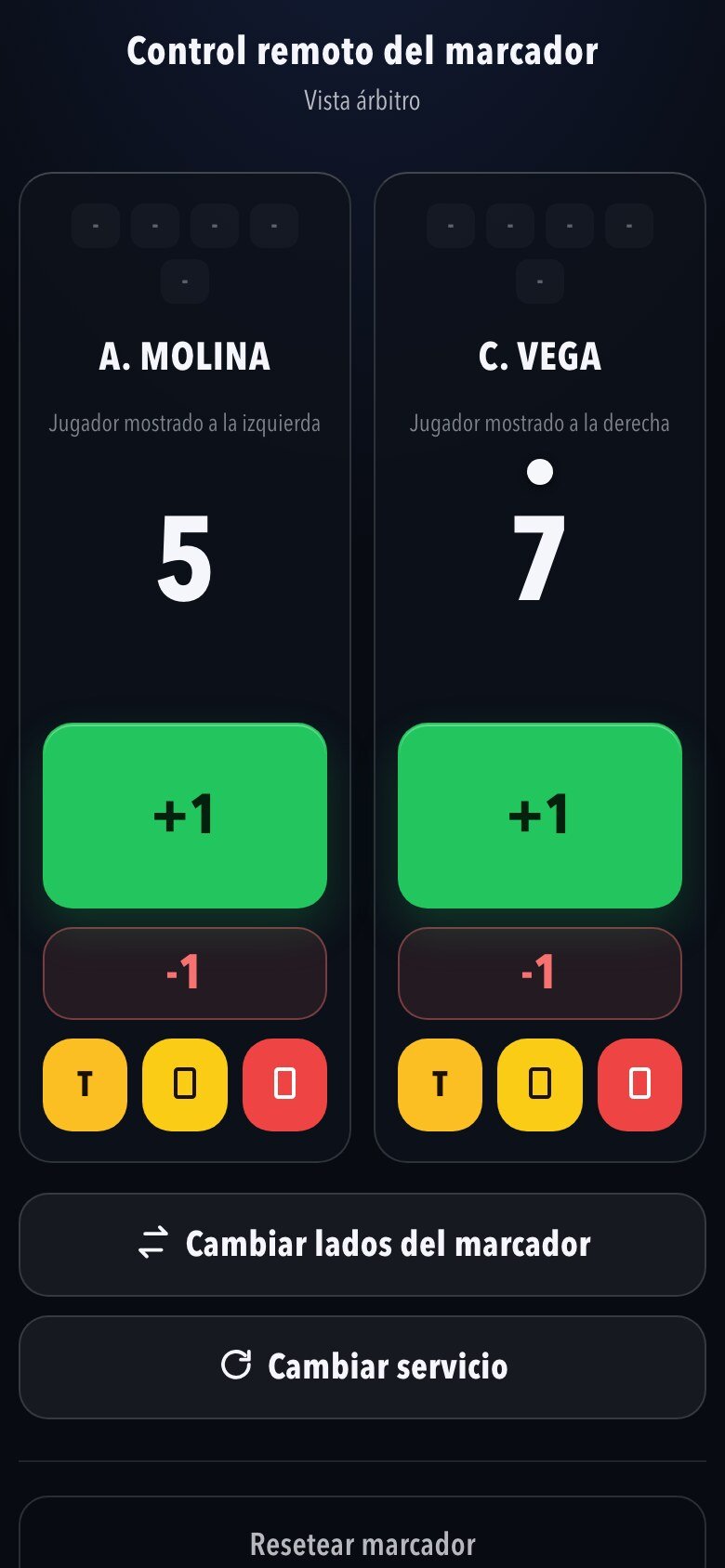
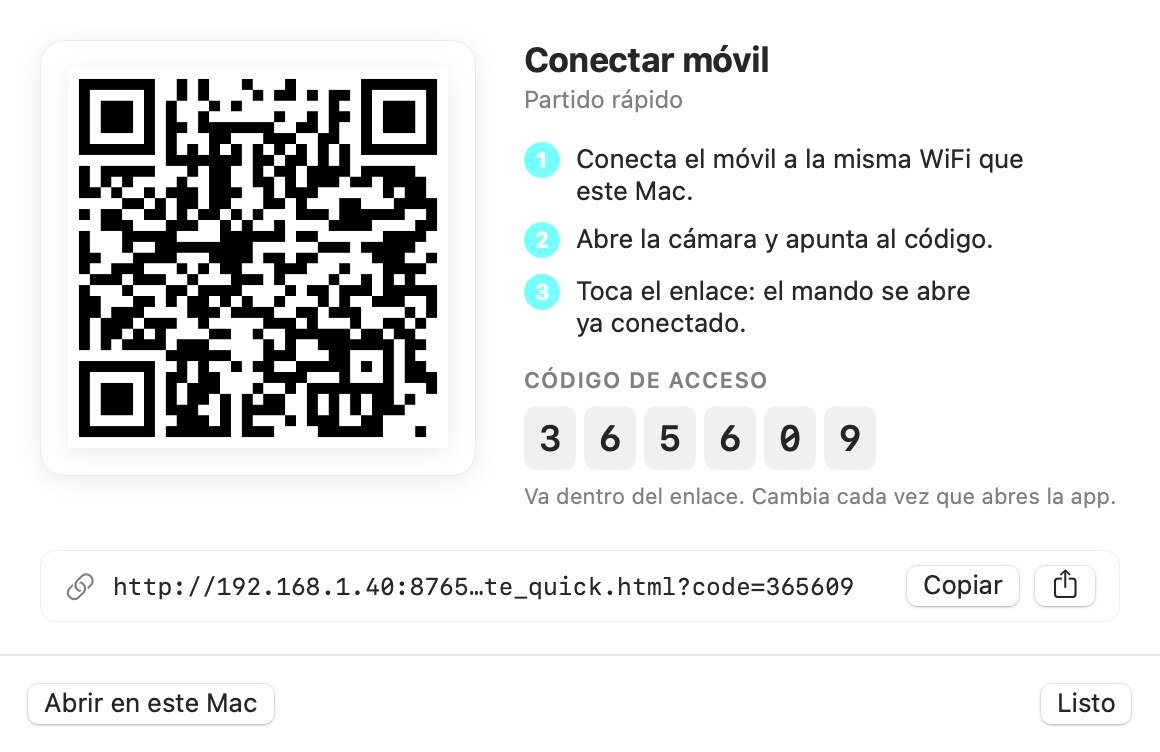
Prefer to run it next to the table? Scan a QR code with your phone and you have the remote. There's nothing to install.
The scoreboard shows up on the projector or the venue TV, in whichever design you like best.
And at the same time, in your OBS stream: five overlay styles. With the club crest, the flag and the shirt of each player.
The line-up, the warm-up, the end-of-game screen and the timeout appear when the scorer confirms them. The scorer is in control.
Does your club have sponsors? Their images appear right inside the stream. A small box while the match is on, and the big card between games. It never covers the scoreboard.
For team matches, it follows the official order of the six matches and suggests the deciding doubles. When it's over, the match sheet is already filled in, ready to save as a PDF.
Everything in a single app, always in sync, and no internet needed. Try it free for three days at scorestudiopro dot com.
How it works
Looking for a professional scoreboard for table tennis? ScoreStudio Pro keeps score for you. Serve, games, deuce and change of ends are tracked automatically, and every point appears on all your screens at the same time.
From the Mac, from a phone next to the table or with a Stream Deck. The app knows the rules, so you just add points.
The venue TV or projector and your OBS stream show the same thing, instantly. End of game and timeouts appear automatically.
When you finish, the match sheet already has every match. Add the umpires and signatures, then save it as a PDF or send it by email.
See all the features of this table tennis scoreboard software →
For live streaming
An OBS scoreboard for YouTube or Twitch. Add one browser source and you're done: the overlay runs by itself for the whole match. And it's the same scoreboard the crowd sees in the venue, run from the same app.

 GlassTV
 Inline
 Light
 Tournament
Next to the name you can show the club crest, the country flag or the shirt. All three, two, one or none: your choice.
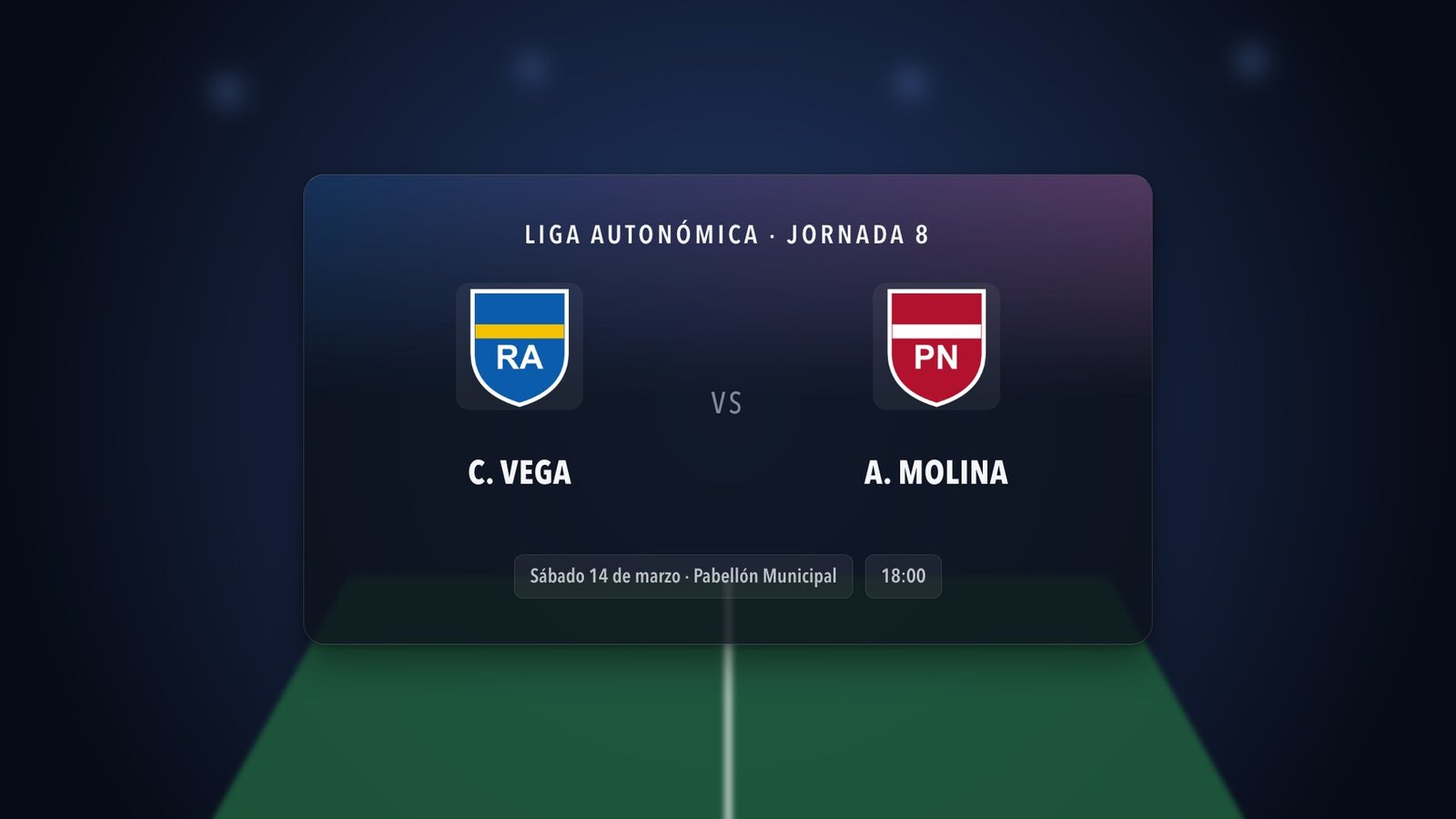
Before play starts: event, date, venue, time, round and logo.

The two players up next, while they warm up. With their letter, their club and their crest.
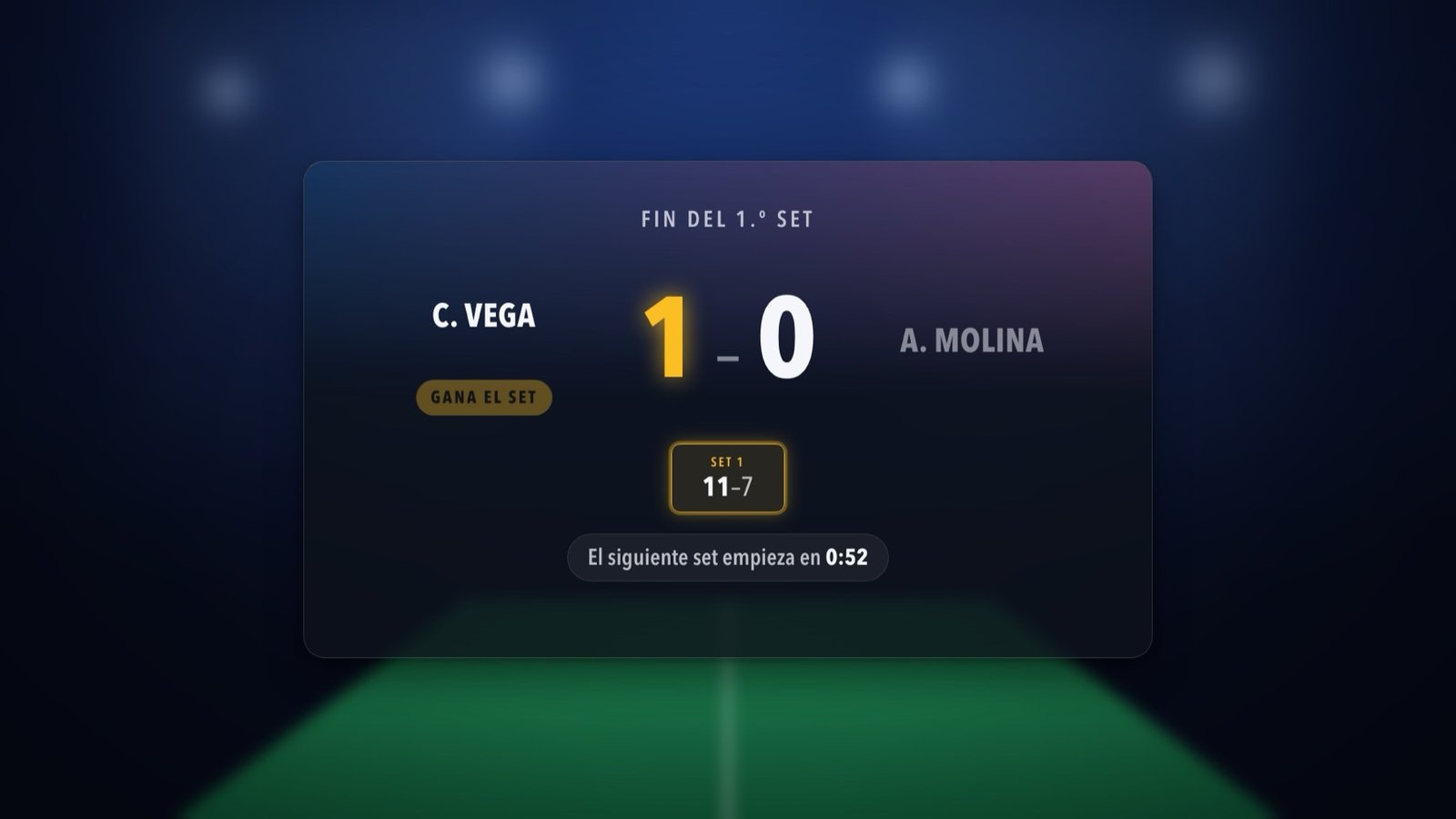
With the game score and the one-minute break counting down. The winner flashes.
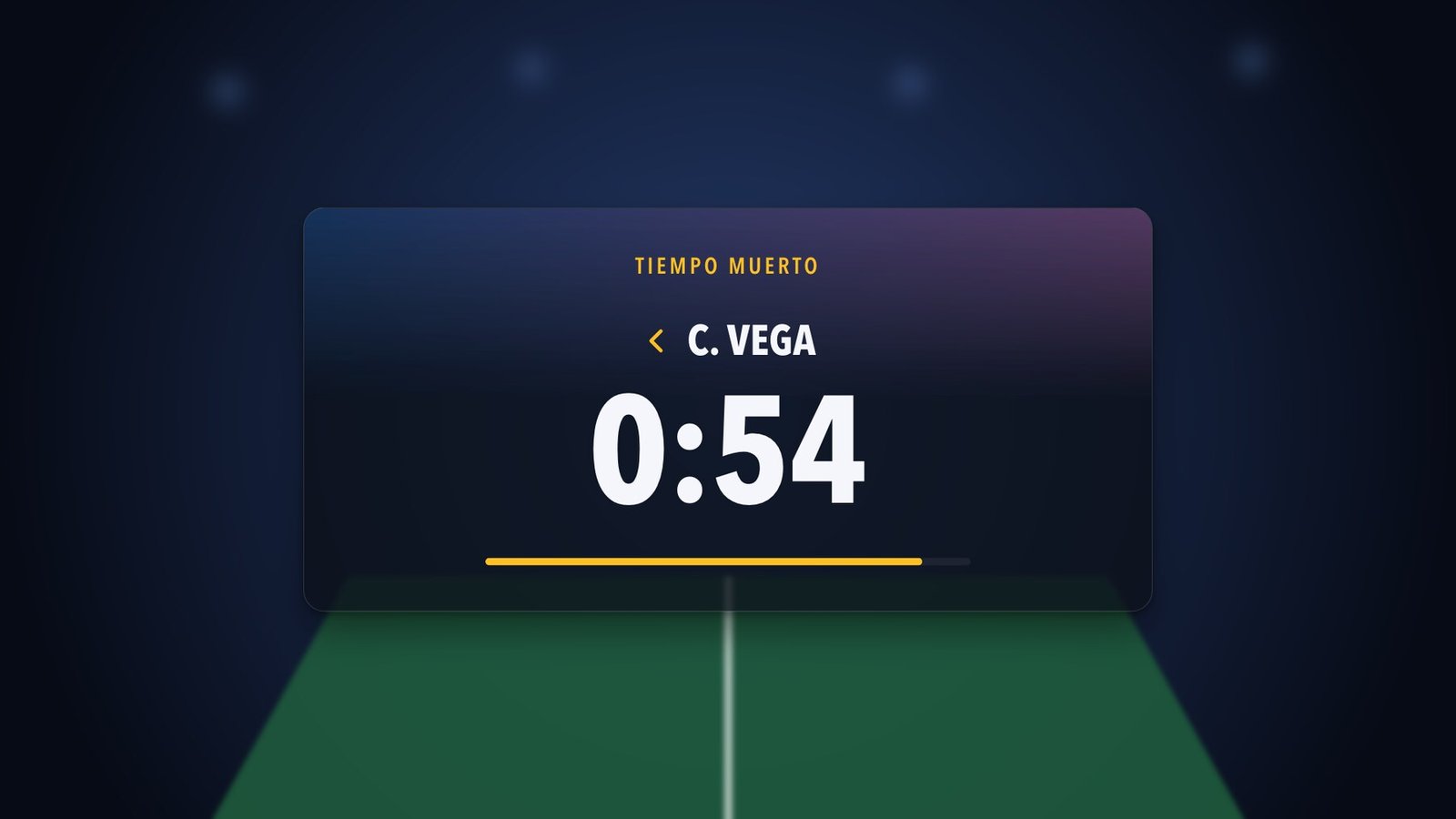
With the countdown on screen.
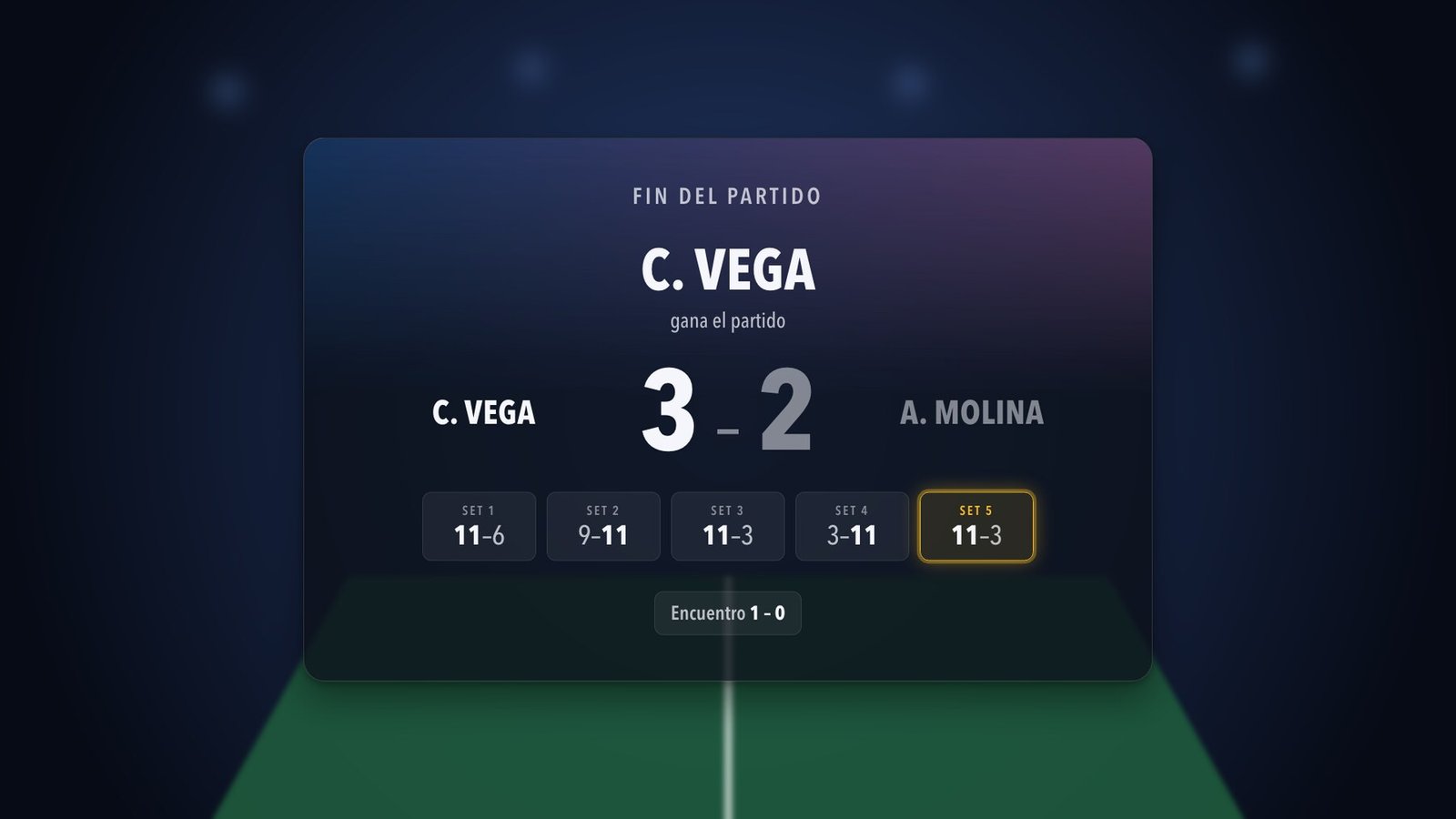
The result and the games, to wrap up the broadcast.
Your sponsors' banner goes into the stream whenever you want, without stopping the match or removing the scoreboard.
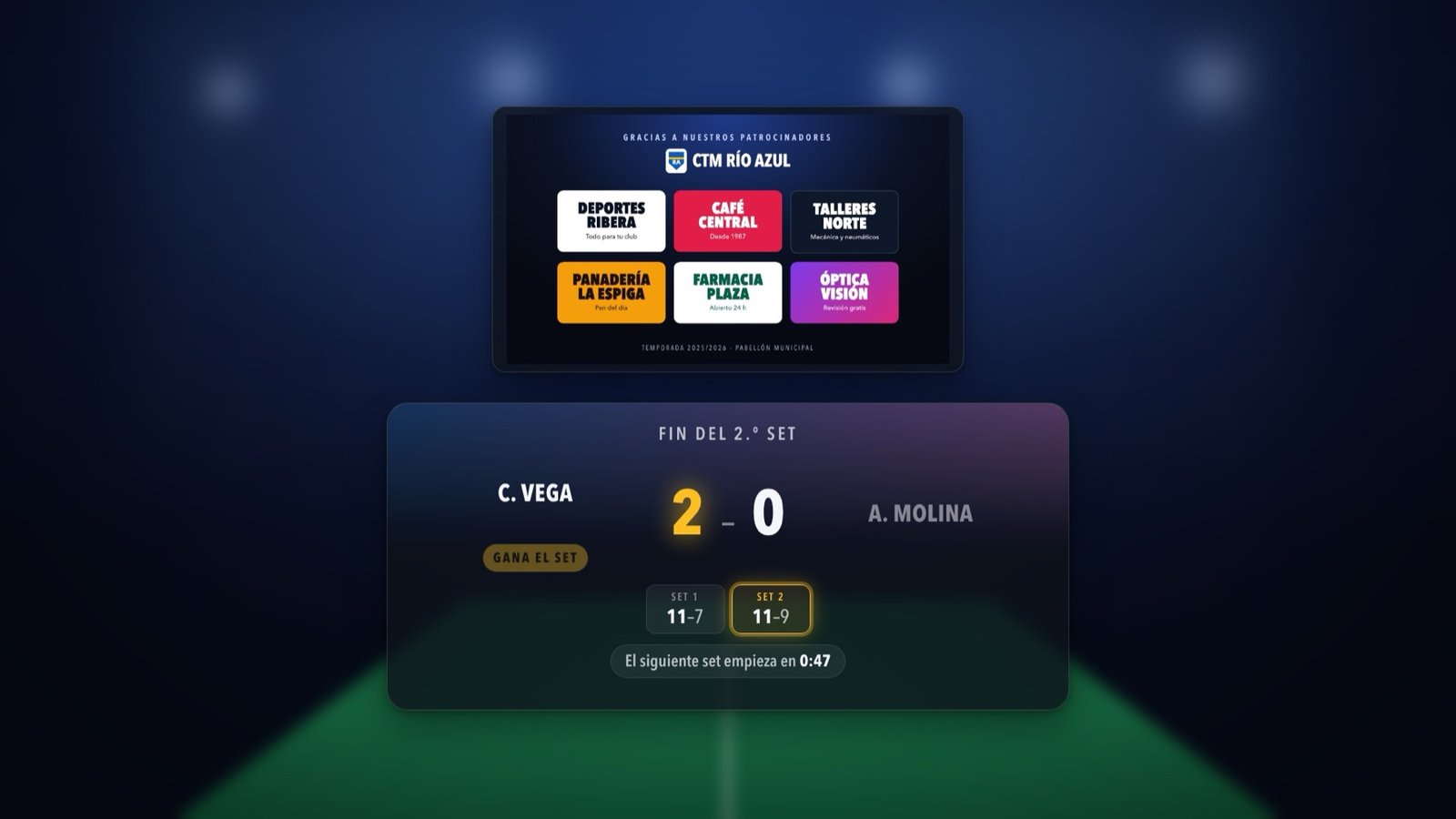
One button shows and hides the ads, or set them to automatic. They never cover the score. Sample sponsors.
OBS scoreboard overlay for table tennis → Live stream scoreboard → How to add the table tennis scoreboard to OBS →
How you run it
Every club does it its own way: one person at the scorer's table with the Mac, the umpire with a phone, or both at once. There are five ways to add a point, and everything stays in sync.
The app's control panel, with big +1 and −1 buttons, cards and timeouts. With a mouse or your laptop's trackpad.
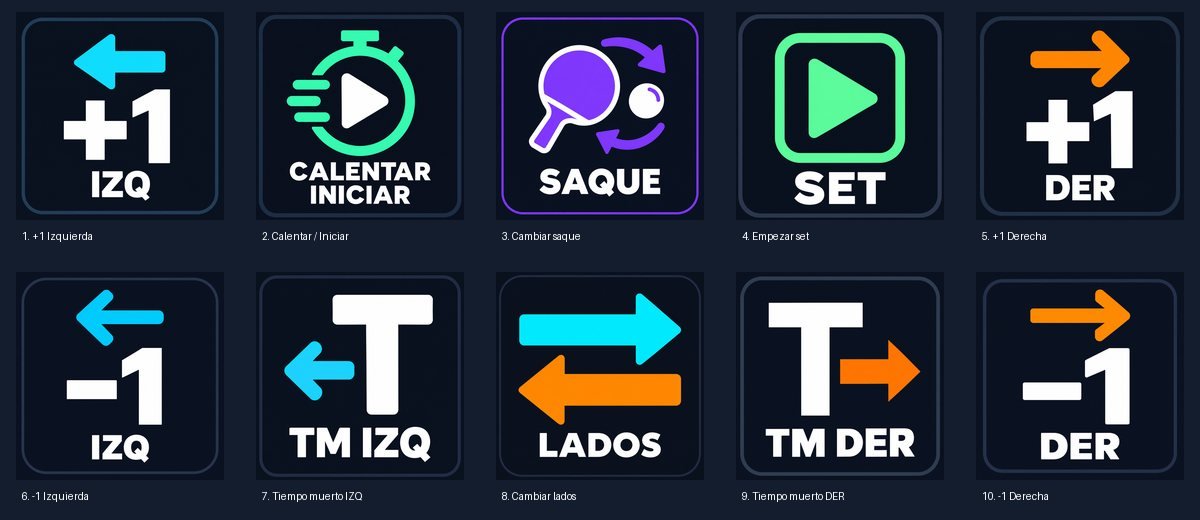
One key per action, without looking at the screen. They work even when the app is behind OBS or your browser.
QA point · Z serve · X ends · T timeout
A physical button for each action: point, serve, ends, timeout. Ideal if you're streaming and your hands are busy.
The umpire scans the QR code and keeps score from their phone, right next to the table. Nothing to install.
The same remote on an iPad or any tablet, with even bigger buttons. You can see the whole match at a glance.
The phone and tablet just need to be on the same Wi-Fi as the Mac. Several people can have the remote open at the same time.
Phone remote
Scan a QR code with the camera and the remote opens. Nothing to install, on any phone.
Stream Deck
When your hands are busy with the camera and the mixer, a physical key for each action is the quickest way to run a live scoreboard.
Stream Deck setup → Using a Stream Deck with a table tennis scoreboard →
For the venue
Connect the Mac to a projector or a TV and choose what to show: the match, the team match or your sponsor ads. With your colors, your backgrounds and the club crests. A scoreboard you can read from the stands.
Between matches, put a slideshow or a video on the TV: your sponsors, the tournament poster or the club logo. Those same images are the ones that appear in your OBS live stream. Sample sponsors.
Points, games, serve, cards and a timeout countdown.
Matches won by each team, with the club crests.
A slideshow or video on the venue TV, and the same images inside the stream. A great argument for winning sponsorship for your club.
Team matches and match sheet
The app knows the rules. From a single friendly to a full league match day, you just add points.
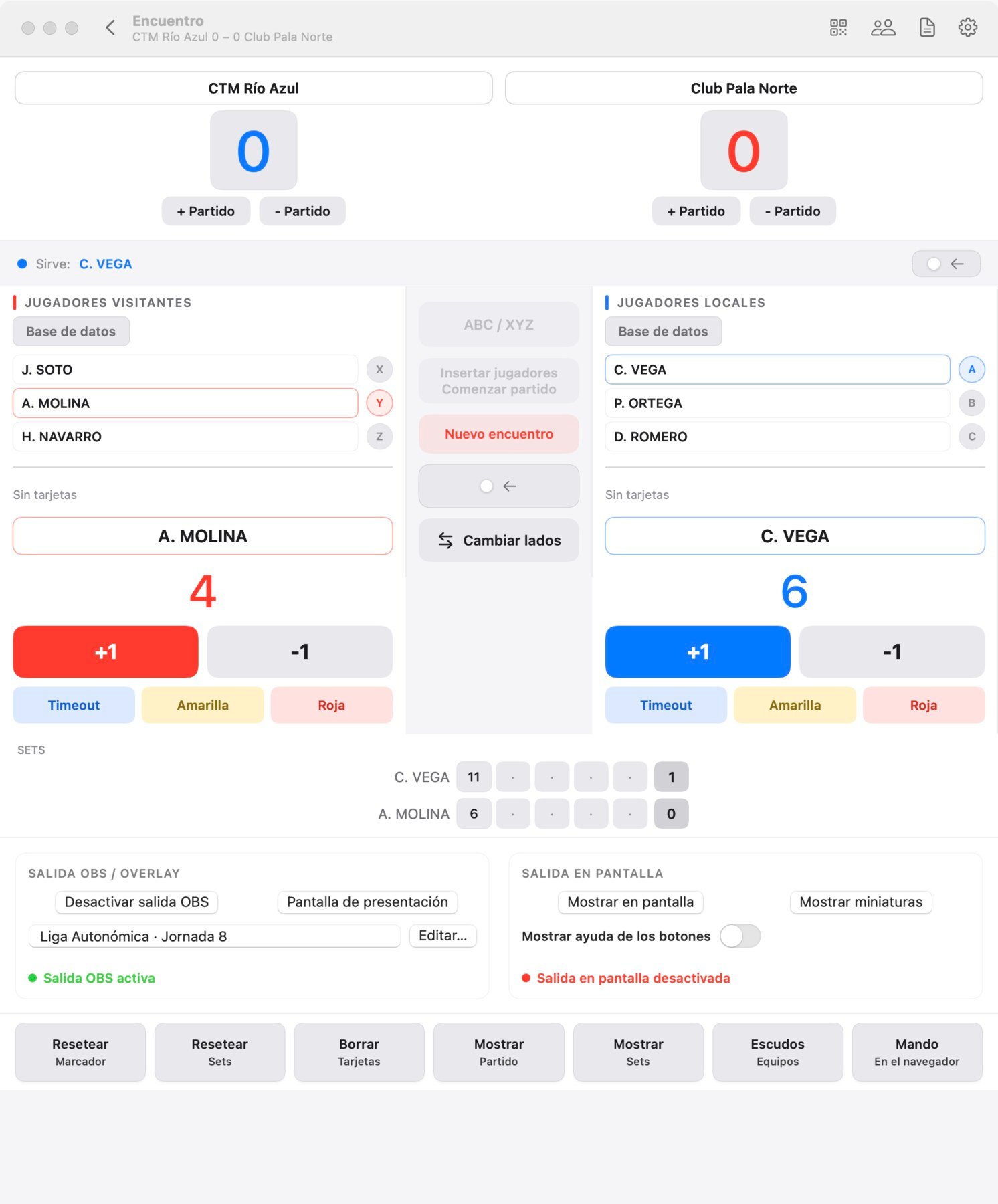
3 players per team, ABC against XYZ. The app tells you who's playing now and who's next.
If the team match is tied, it suggests the deciding doubles.
Games to 7, 11, 15 or 21 points, best of 1, 3, 5 or 7. Serve, deuce and change of ends are handled automatically.
Everything is saved as you play. If you close the app, you pick up where you left off.
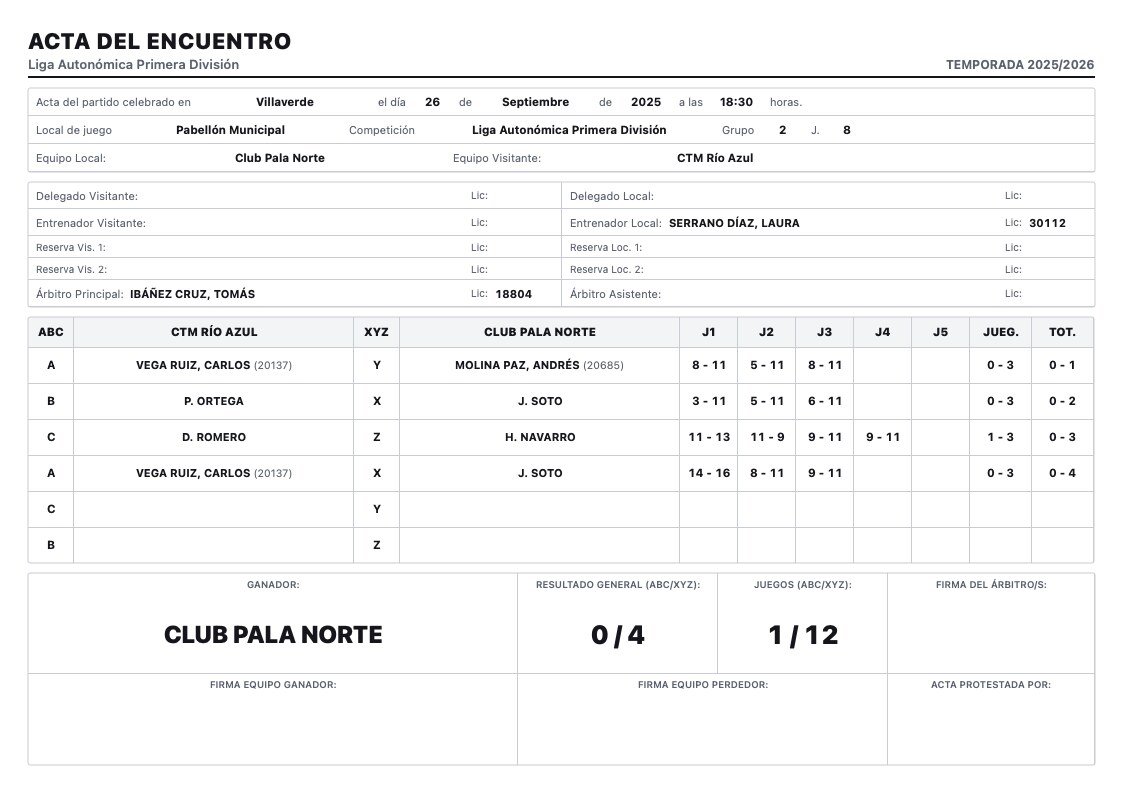
With every match already filled in, ready to download as a PDF. You add the venue, coaches, team captains and umpires.
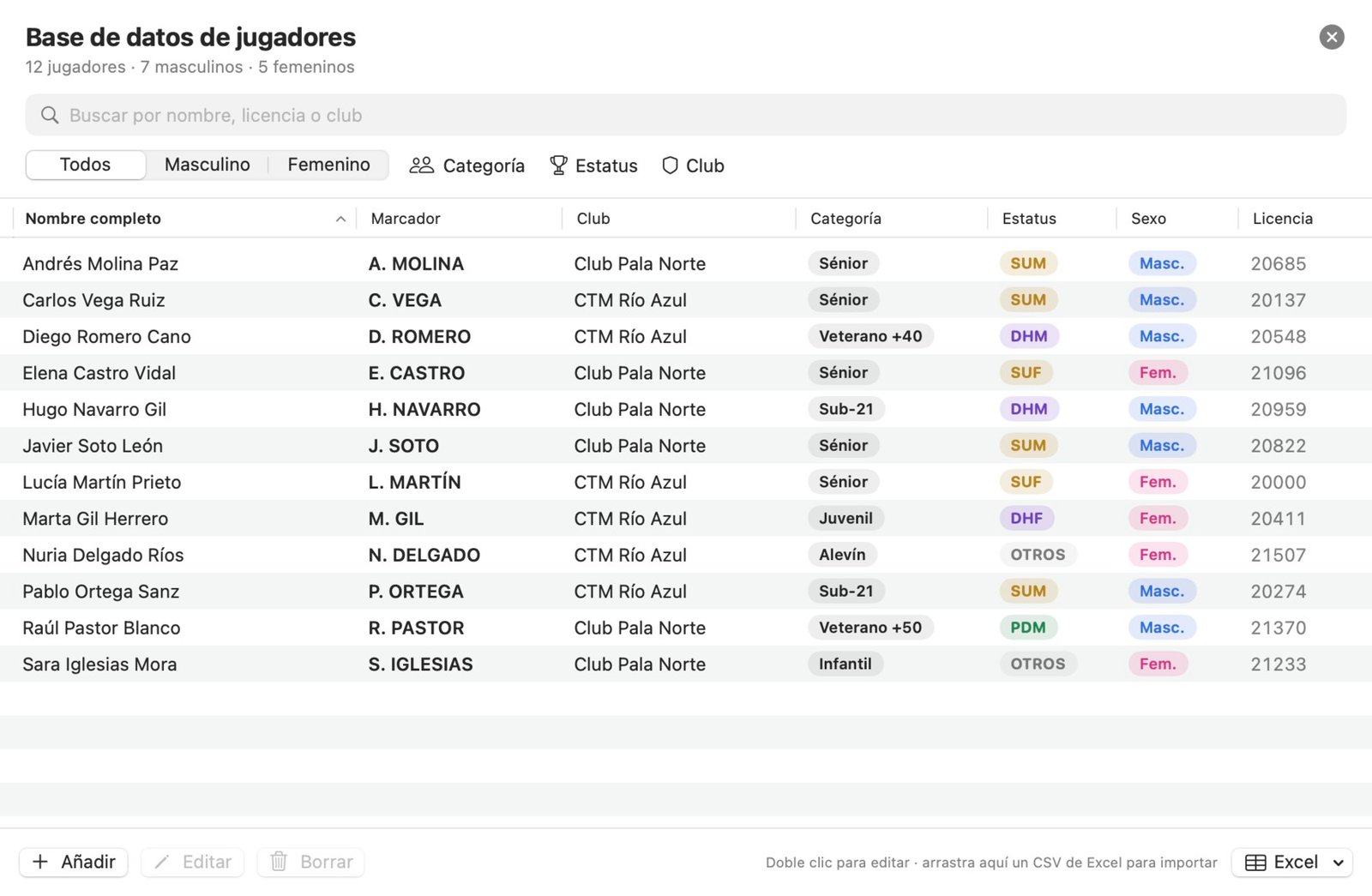
Save your whole club once and pick each player with a click.
Who it's for
ScoreStudio Pro is made for the people who run match day, not for technicians.
Run your league matches from the scorer's table, show the score in the hall and hand the match sheet to the umpire. A volunteer can learn it in one match.
Quick matches in singles or doubles, a venue scoreboard that reads from the stands and a Tournament overlay with the event logo for the stream.
A live scoreboard that needs no graphics skills and no second operator, with automatic screens and sponsor ads for your viewers.
Screenshots
The same match, on the screens you will actually use. Pick a view.
Screenshots with sample data, taken from the Spanish version of the app.
Pricing
Try it for 3 days. If you like it, choose your license. Every feature is in both.
19 €
Renews each month · VAT included
Best value
99 €
Renews each year · VAT included
Download it and use the full app for 3 days, no card needed. When the trial ends, paste your license and carry on with everything you've saved.
Prices in euros, VAT included: what you see is what you pay. Secure payment with Stripe. You'll see your license as soon as you pay, and it also arrives by email: it's a key starting with SSP- that you paste into the app. By buying you accept the terms of sale: since the license is delivered instantly, there is no right of withdrawal; that's what the 3-day trial is for.
Frequently asked questions
ScoreStudio Pro is professional table tennis scoreboard software for macOS. It keeps score for a match or a team match and shows it on venue screens, on your OBS live stream and on the umpire's phone, all in sync, with a match sheet at the end.
Yes. You add the scoreboard to OBS as a single Browser source and it updates with every point. There is no plugin to install.
In OBS, add a Browser source, enter the address http://127.0.0.1:8765/obs with a width of 1920 and a height of 1080, and turn on the OBS output in the app's match panel.
Yes. Scan a QR code and the umpire keeps score from any phone or tablet, with nothing to install. You can also use keyboard shortcuts or a Stream Deck.
Yes. Connect a TV or projector to your Mac, click Show on screen and choose among nine scoreboard designs. It runs on the venue Wi-Fi, with no internet.
Yes. Ping pong and table tennis are the same sport, so ScoreStudio Pro works as a ping pong scoreboard and score keeper too.
No. Everything runs on the venue Wi-Fi: the Mac, the phone and OBS talk to each other without going out to the internet. You only need it if you stream live.
It's coming soon. In the meantime, the app runs on Mac. The remote opens on any phone, iPhone or Android, in the browser and without installing anything.
Yes. Download it and use the full app for 3 days, with no card needed. When the trial ends, the app asks for your license and nothing you saved is lost.
English, French, German and Spanish. It uses your Mac's language, and you can change it in Settings › General. The match sheet, the venue screen and OBS follow the app's language; the phone remote uses each phone's language.
Download it today and try it at your next match. For Macs with macOS 15 or later, free for 3 days, no card needed.